All features

Everything Rimofy does.
Screen by screen.

You capture in one tap, Rimofy files, reads and remembers. The day you need it, you ask. Here is every feature, as it is in the Android app.

Capture

One tap.
It’s kept.

Eight captures around the logo: receipt, document, note, place, voice, trip, image, health. Rimofy reads, files and remembers on its own.

  • The logo does what you want. Photo, voice, note or the Assistant in one tap, set in Settings.
  • Quick tile and widgets. Start a capture from the Android quick settings or your home screen, without opening the app.
  • Share to Rimofy. A photo, a link or a text from another app lands straight in your memories.
  • No signal, nothing lost. Your captures wait on the phone and go out as soon as you’re back online.
  • A glance under the search. Your next appointment, what not to forget and your pinned memories.
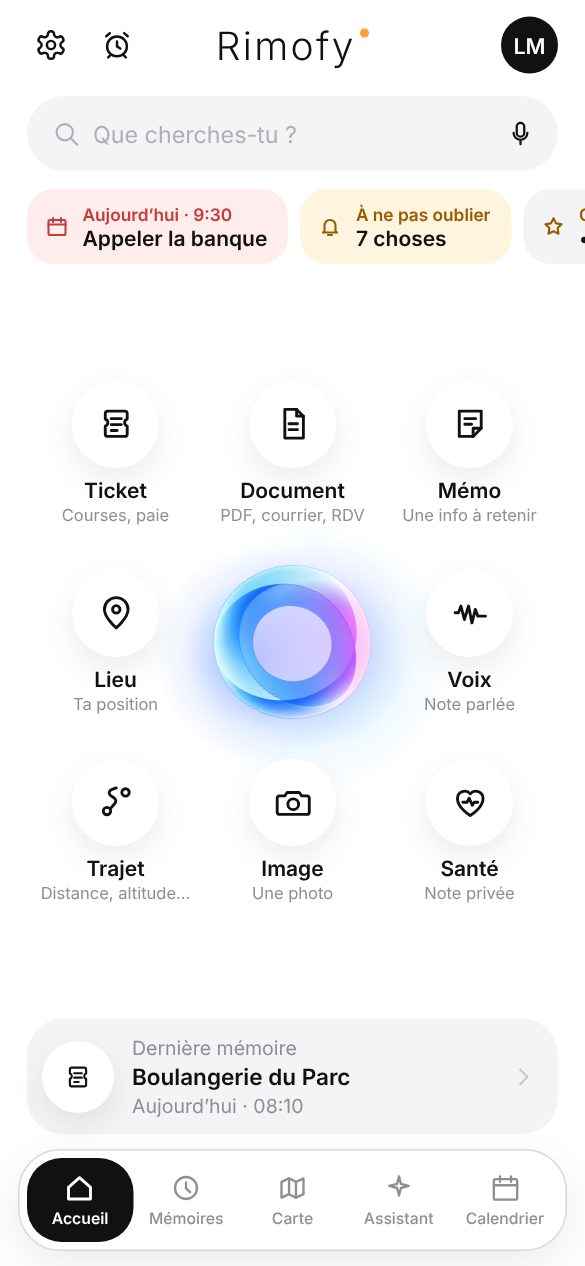
Home: search, next appointment and eight captures around the logo
Assistant

Ask the question.
Rimofy finds it.

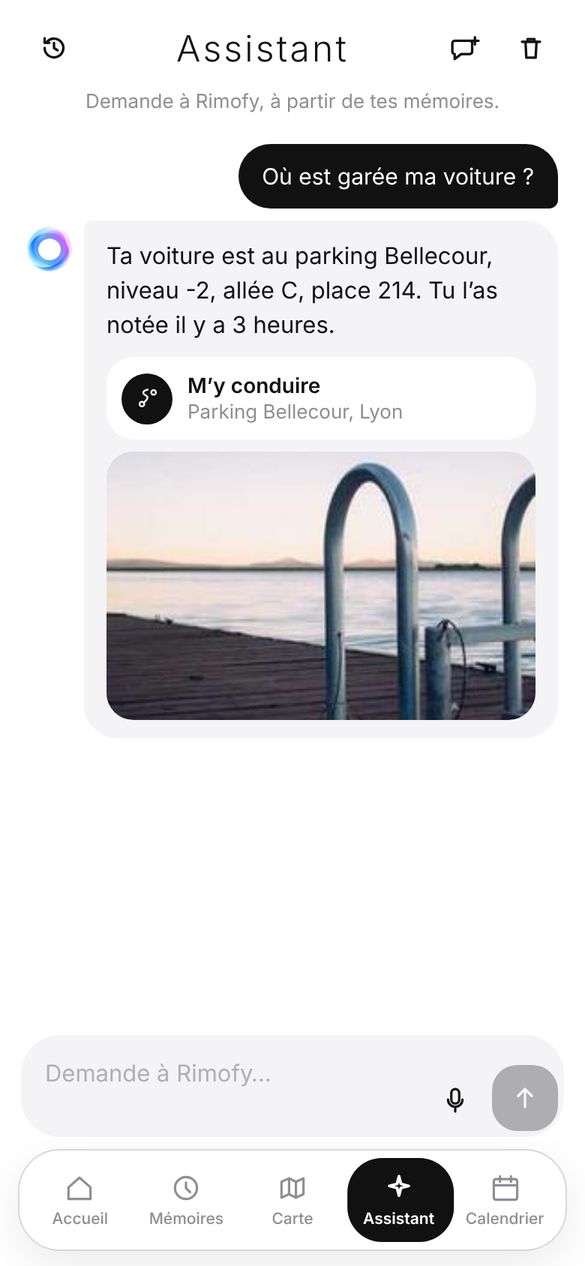
The Assistant answers from your memories, and from those your family shares with you. Nothing else.

  • It shows its sources. Every answer points to the photo, receipt or note behind it.
  • It doesn’t make things up. If the memory isn’t there, it tells you.
  • “Take me there” when you ask where something is.
  • Question ideas drawn from your own memories, and your conversations to pick up later.
  • By voice: double-tap the logo, and Rimofy turns into a face that listens (below).
Assistant: the answer gives the parking spot with the photo as source
Face mode · new

Put the phone down.
Rimofy looks at you, listens and answers.

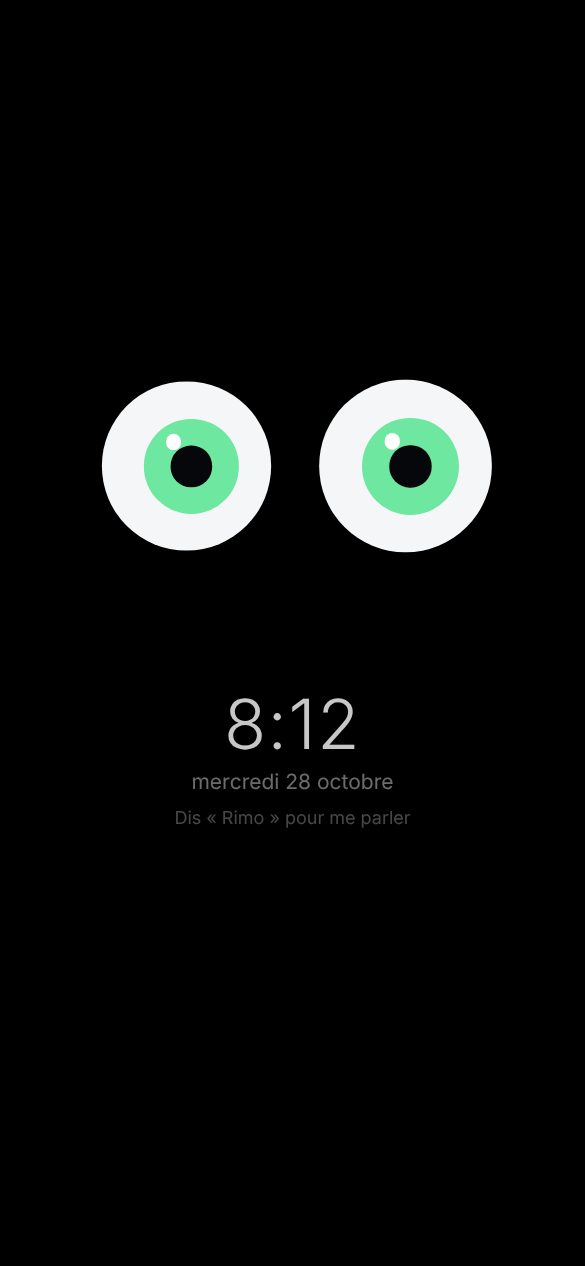
Double-tap the logo on the home screen: Rimofy becomes a face. Say “Rimo” and talk to it like a person: it answers out loud about your memories, your schedule, the weather, the news and everyday questions.

  • “Rimo” wakes it up: recognised on the phone, offline (a 41 MB detector downloaded on first use). With no question for 10 seconds, it goes back to sleep showing the time.
  • It acts: alarm, timer, note, reminder, appointment, place, end of trip, “call Marie”. Using Rimofy’s own features, on your phone.
  • Your schedule, as it is: “what do I have tomorrow?” is read from your calendar and alarms. If there’s nothing, it says so.
  • Notifications read out loud, even while asleep (access to allow once in Android). At night it shows them without reading.
  • It follows you with its eyes and understands your gestures: thumbs up or down for volume, raised hand to talk, closed fist for a photo. “What do you see?”: it describes what you show it.
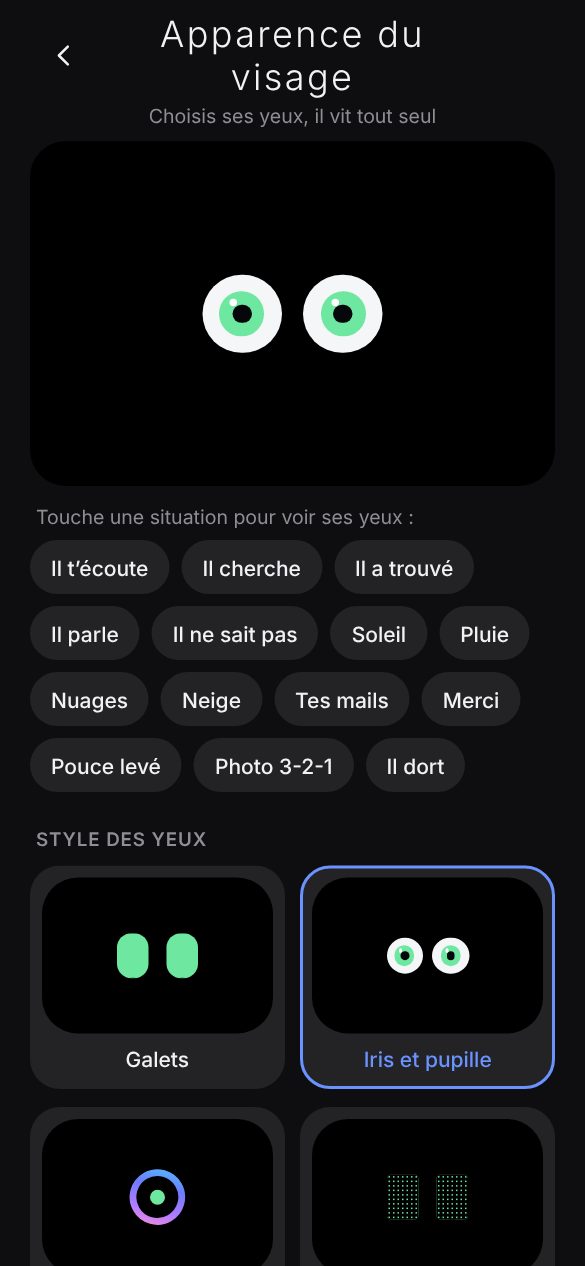
  • Eyes to your taste: eight styles, six colours, three personalities, a sleep mode with the time.
Face mode asleep: two green eyes, the time and “Say Rimo to talk to me”
Face appearance: preview, situations and eye styles
Around me

A restaurant, a pharmacy?
Type it, it’s around you.

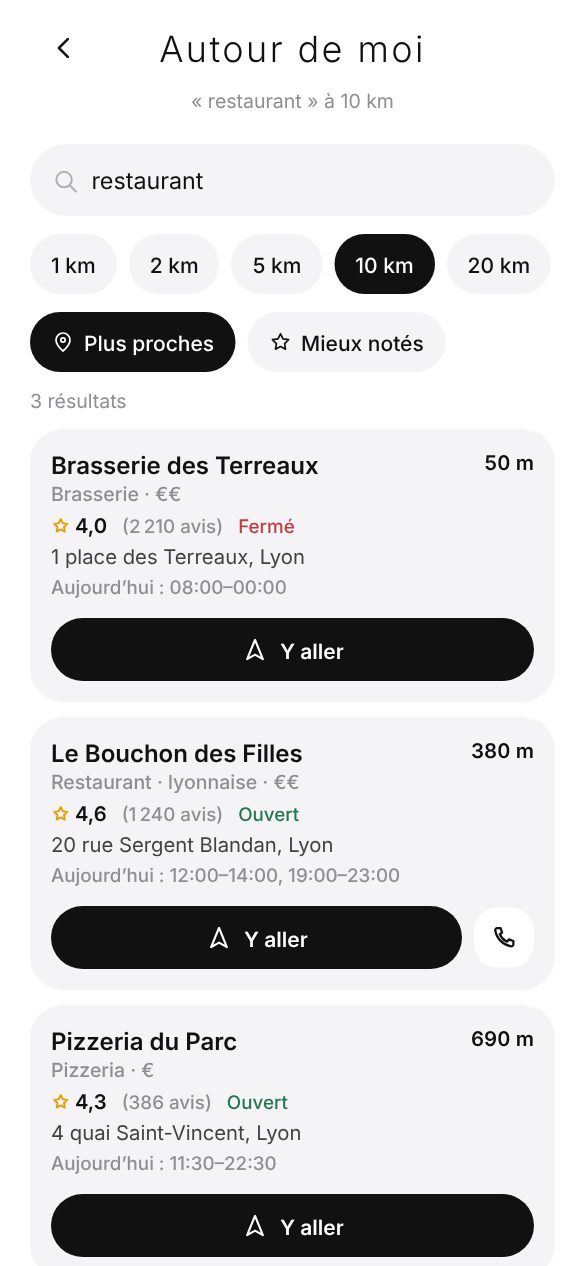
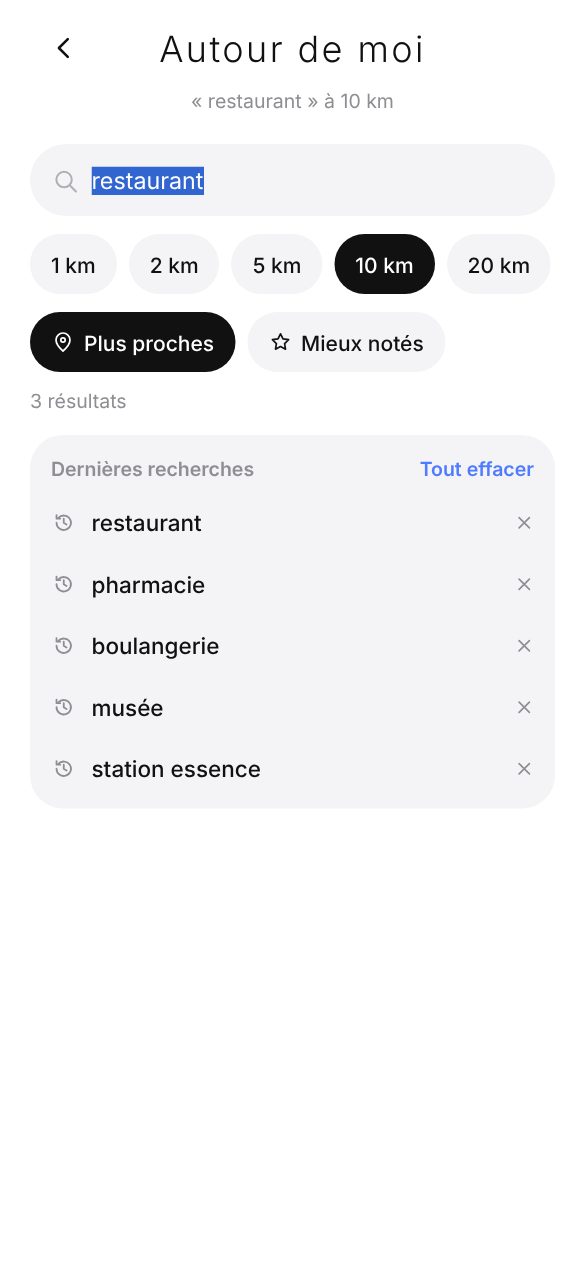
Right from the home search: restaurant, bakery, museum, school, petrol station… Rimofy lists the places around you, nearest first.

  • The radius you want: from 1 to 50 km, 10 km by default (Settings).
  • The essentials for each place: distance, address, opening hours, phone and website when known, ratings and reviews when the source provides them.
  • Go there, call in one tap.
  • Your memories or around you: both choices show as soon as you type. “Where’s my car?” goes to the Assistant.
  • Your recent searches show as soon as you tap the field, most recent first.
Around me: restaurants within 10 km with distance, hours and directions
Recent searches shown when tapping the field
Voice

A meeting, a call.
The notes write themselves.

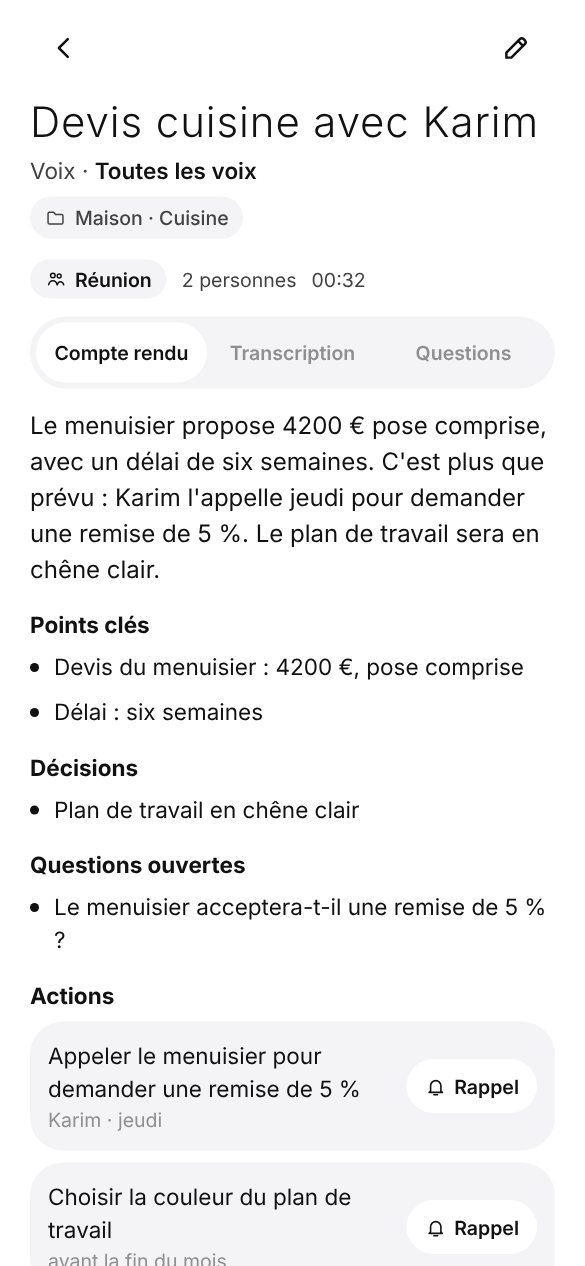
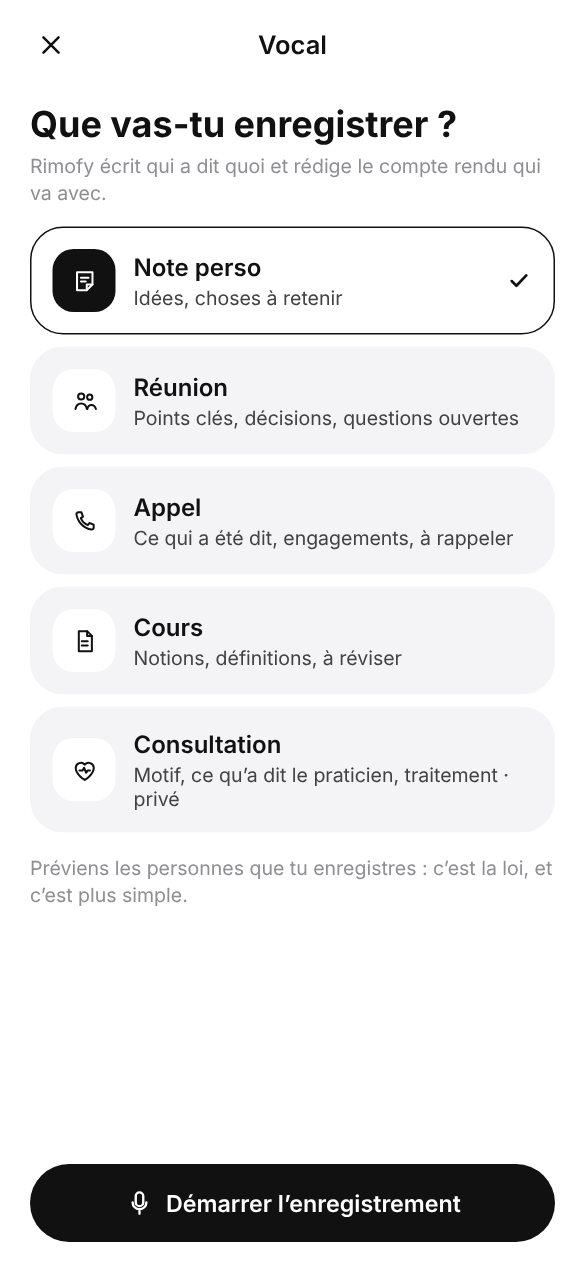
Rimofy transcribes, tells who is speaking and writes the notes in the template you pick: meeting, call, class, appointment or personal note.

  • Who’s speaking: each sentence tied to Person 1, Person 2… which you can rename.
  • Moments, photos and notes added while recording, found again in the notes.
  • One action, one reminder: every action becomes a reminder in one tap.
  • Ask the recording, answered with the exact moment.
  • Calls: Rimofy finds the calls recorded by your Android’s Phone app.
Meeting notes: summary, decisions and actions
Recording in progress
Memories

You file nothing.
Everything has its place.

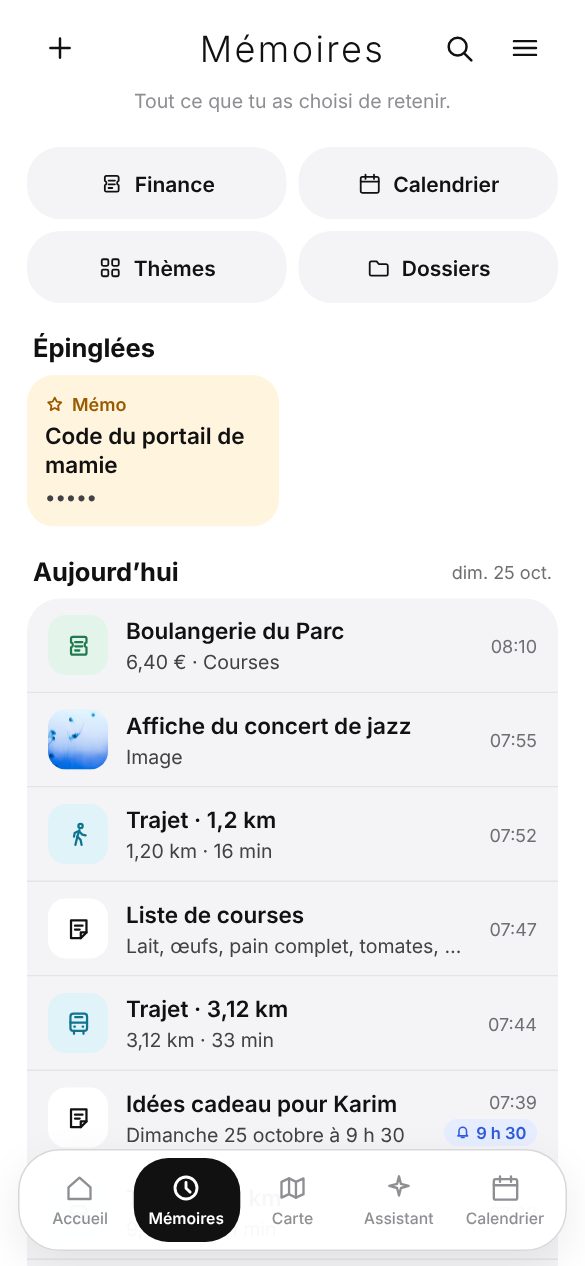
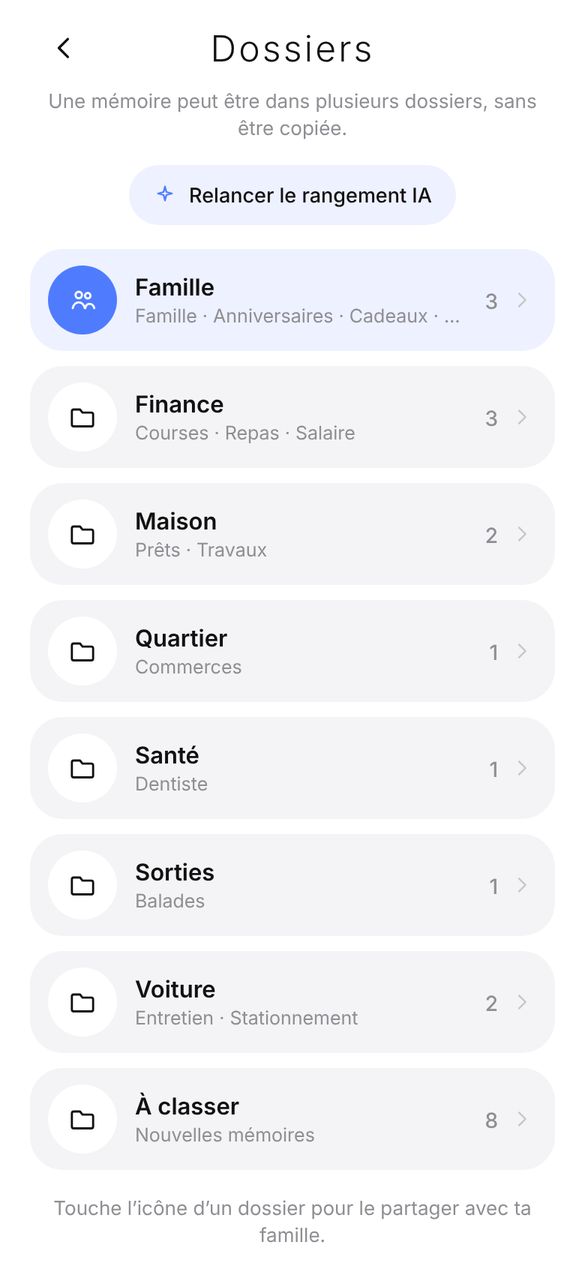
Rimofy files each memory by area and topic. A memory can live in several folders, and you can always move it.

  • Three views: by day, as a grid or by theme, in every page too (documents, voice, places, trips…).
  • Pin what you open often: at the top of Memories and on the home screen.
  • Folders created on their own. Move a memory, or re-run the filing for everything.
  • 30-day bin, with “Undo” right after deleting.
Memories: pinned at the top, then today’s memories
Folders by area
Memory page

A list, a code, a photo.
Each in the right shape.

Every memory has its page: what Rimofy understood, your reminders, what’s linked, and the right actions for what it holds.

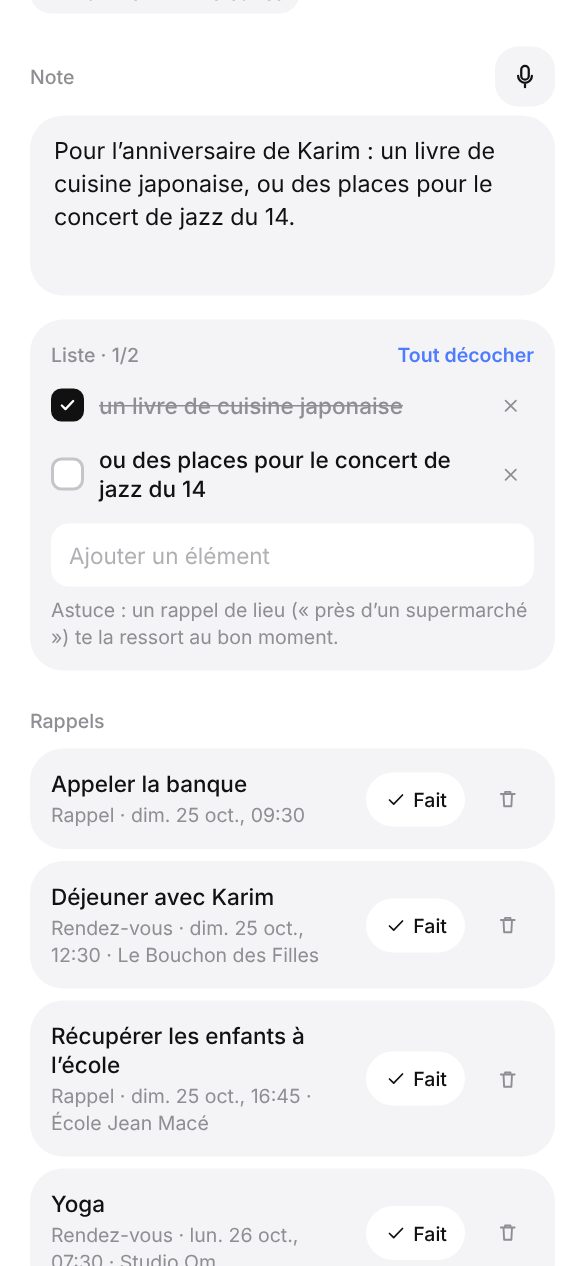
  • Checklist: a shopping or packing note becomes a list you tick as you go.
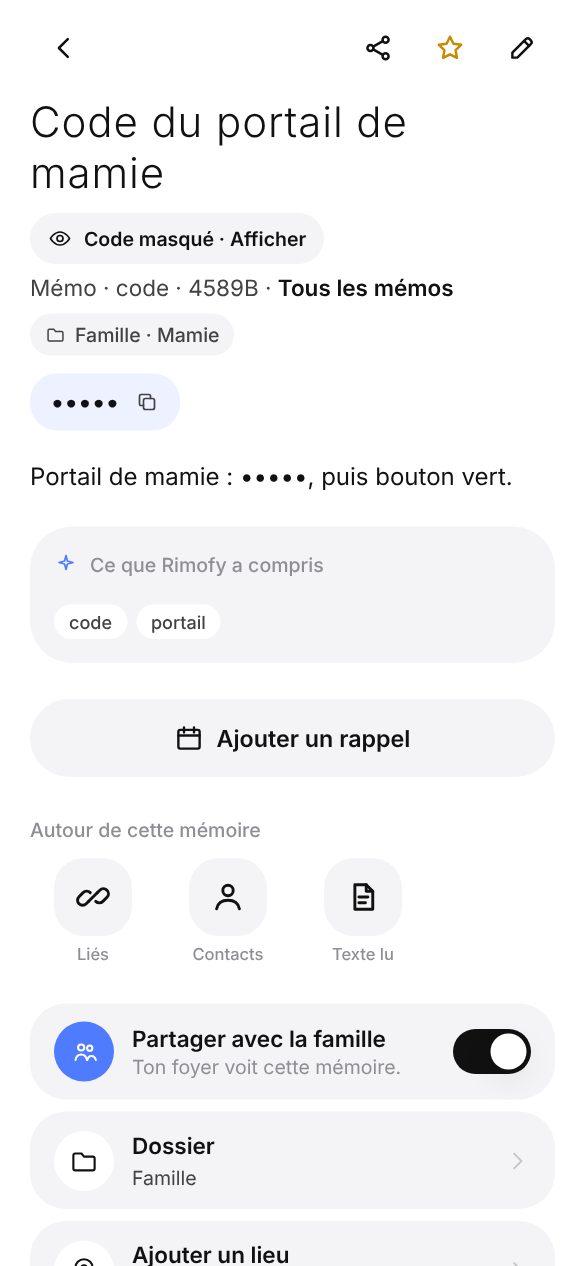
  • Hidden codes: door code, Wi-Fi, password show as •••• until you tap (with your fingerprint if the lock is on).
  • Share: a photo goes as an image, the rest as text.
  • Download a photo to your gallery, with its original date. Full screen with zoom.
  • Linked to this item: attach a note, a photo or a receipt to an existing memory.
Note turned into a checklist
Gate code hidden until tapped
Documents

Scan, read, find.
Without leaving Rimofy.

Invoice, letter, warranty, prescription: Rimofy reads the text, keeps the dates that matter and keeps the document close at hand.

  • Scanner: edges detected, several pages, one PDF.
  • Built-in viewer: the PDF opens in Rimofy, page by page with zoom, and stays on the phone for next time.
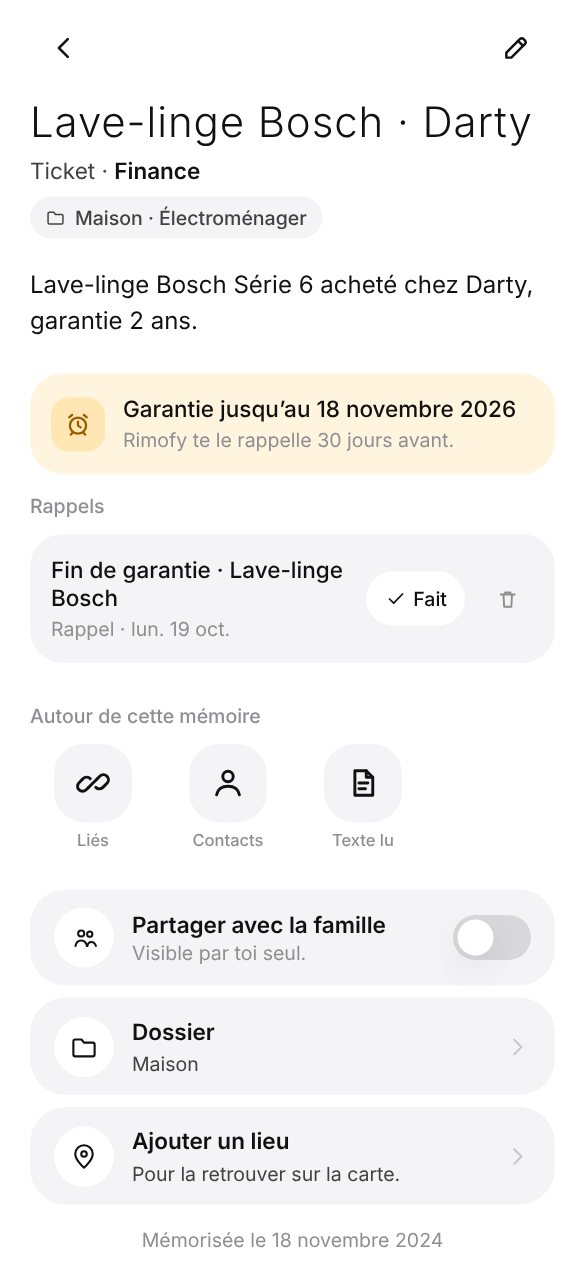
  • Deadlines: end of warranty, expiry, end of contract, car inspection. Reminder 30 days before.
Document with its deadline and the reminder set 30 days before
Finance

A receipt photo.
Your ledger fills itself.

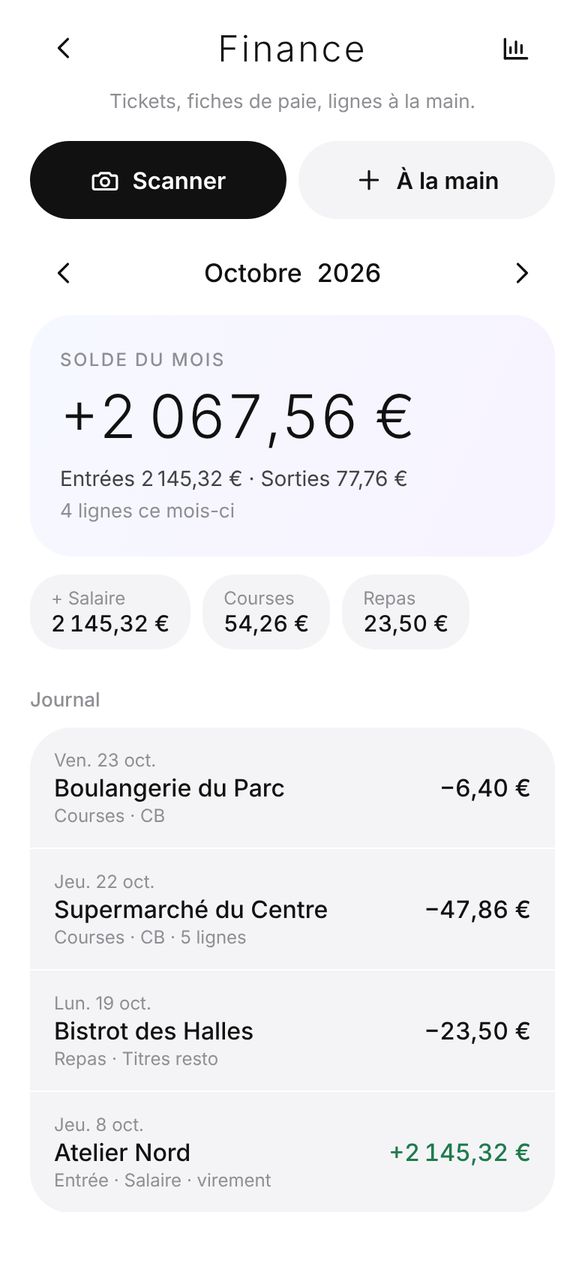
Receipts, payslips, lines typed by hand: Rimofy reads the shop, the lines, the amount, the category and the direction (spending or income).

  • Month by month, as a journal or a dashboard: balance, income, spending, categories, shops.
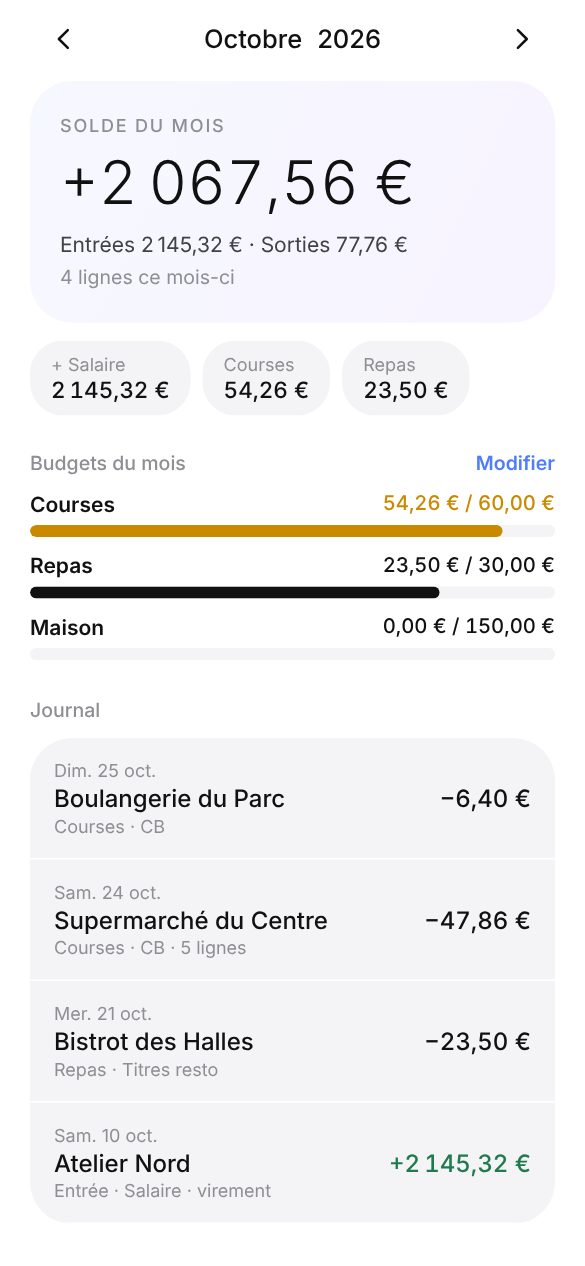
  • Budgets: a cap per category. Rimofy warns you at 80% and when it’s exceeded.
  • CSV export of the month, opens in any spreadsheet.
Finance: monthly dashboard
Monthly budgets by category
Calendar and reminders

The dates in your notes.
Reminders at the right time.

Rimofy finds appointments and reminders in your voice notes, documents, notes and health notes, and puts them in your calendar.

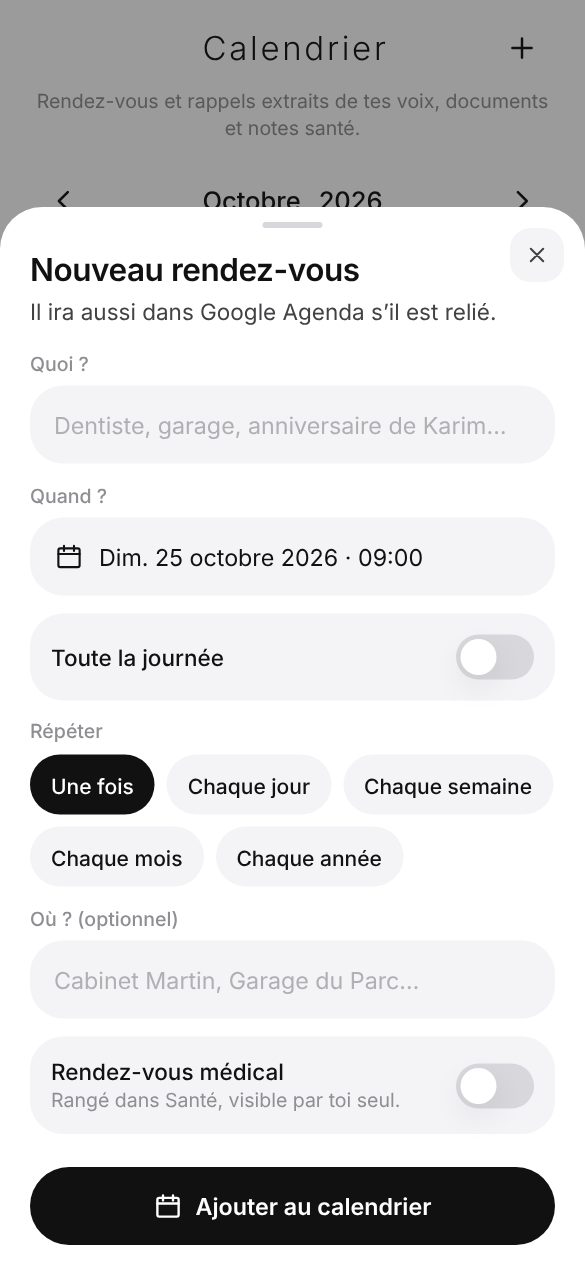
  • Repeats: every day, week, month or year. A birthday comes back on its own.
  • Place reminders: “get bread” comes back when you pass a bakery.
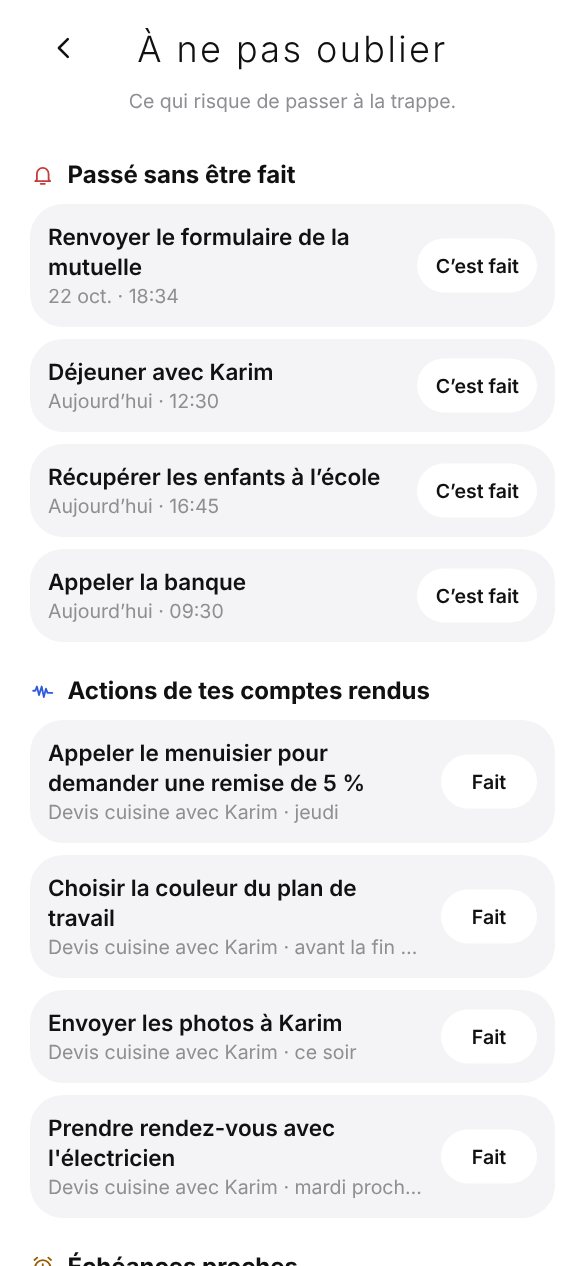
  • Don’t forget: overdue reminders, promised actions, lent items, and a weekly recap on Sunday at 6 pm.
  • Google Calendar, if you connect it.
New appointment with the repeat choice
Don’t forget
My day

Your day, your week.
And this day, a year ago.

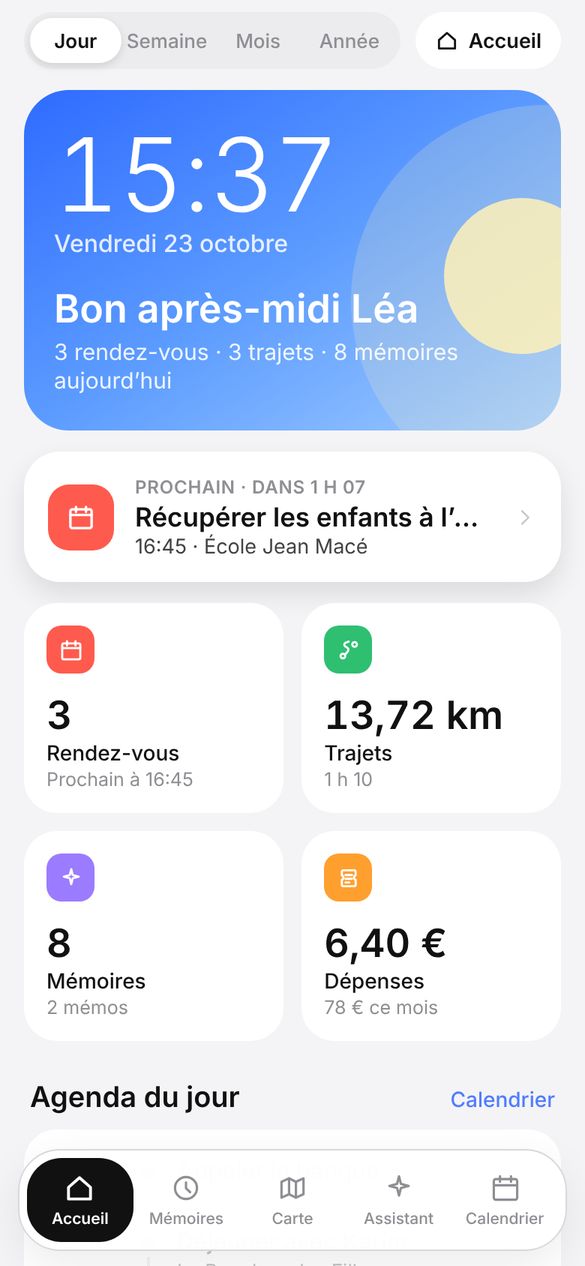
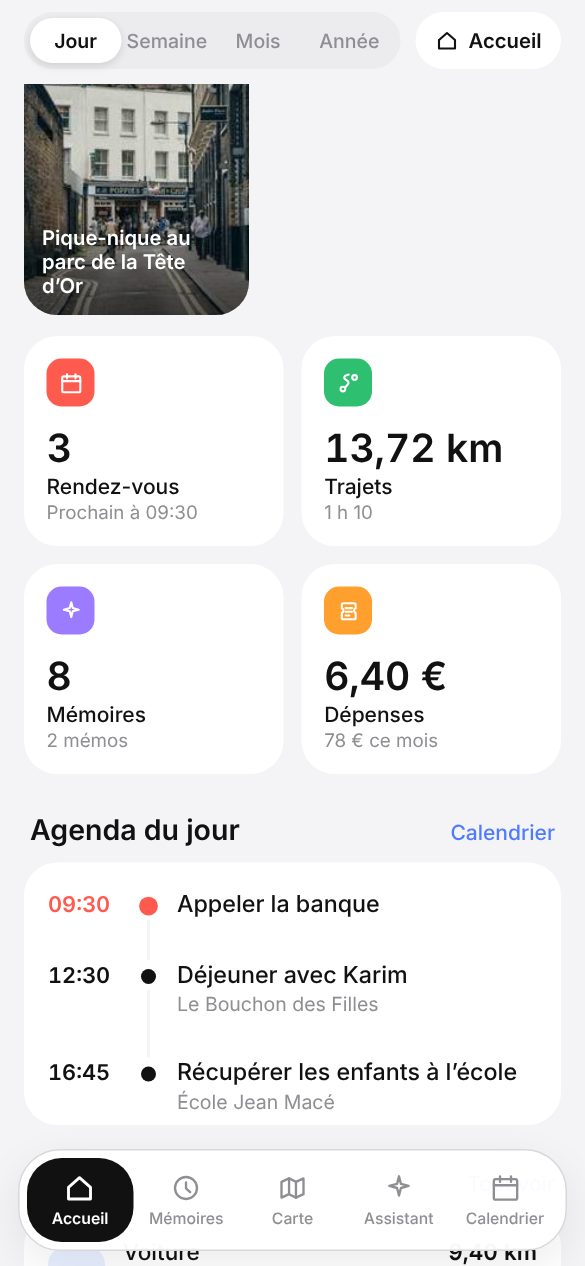
The day’s appointments, trips, memories and spending on one screen. Then the week, the month, the year.

  • On this day: what you kept on the same date in past years, with a 10 am notification if you want.
  • Automatic My day: it shows after 5 minutes without touching the app.
  • Week and month recap: kilometres, memories, spending, highlights.
My day
On this day: a memory from a year ago
Alarm

A gentle alarm.
Then your day.

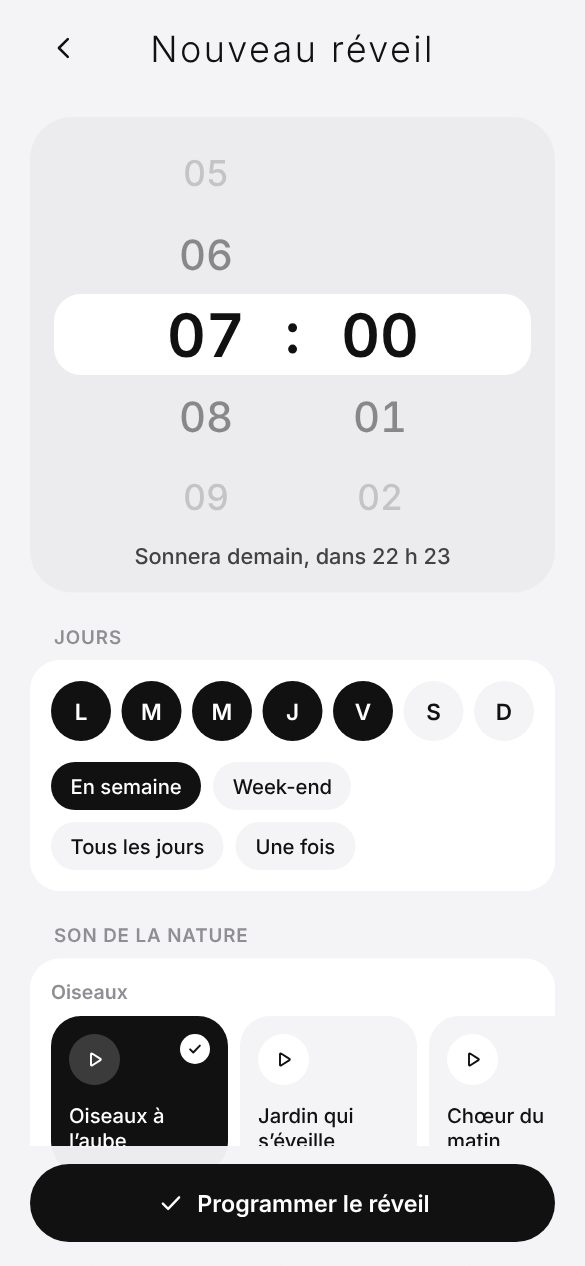
A nature sound that rises gently, a screen that brightens like a sunrise. Stop it, and Rimofy shows you your day.

  • Once, weekdays, weekends or the days you pick.
  • Birds, forest, river, waves: you pick the sound.
  • Alarm widget: your next alarm, the time and the date on the home screen.
New alarm: time, days and nature sounds
Trips

You move.
Rimofy maps it.

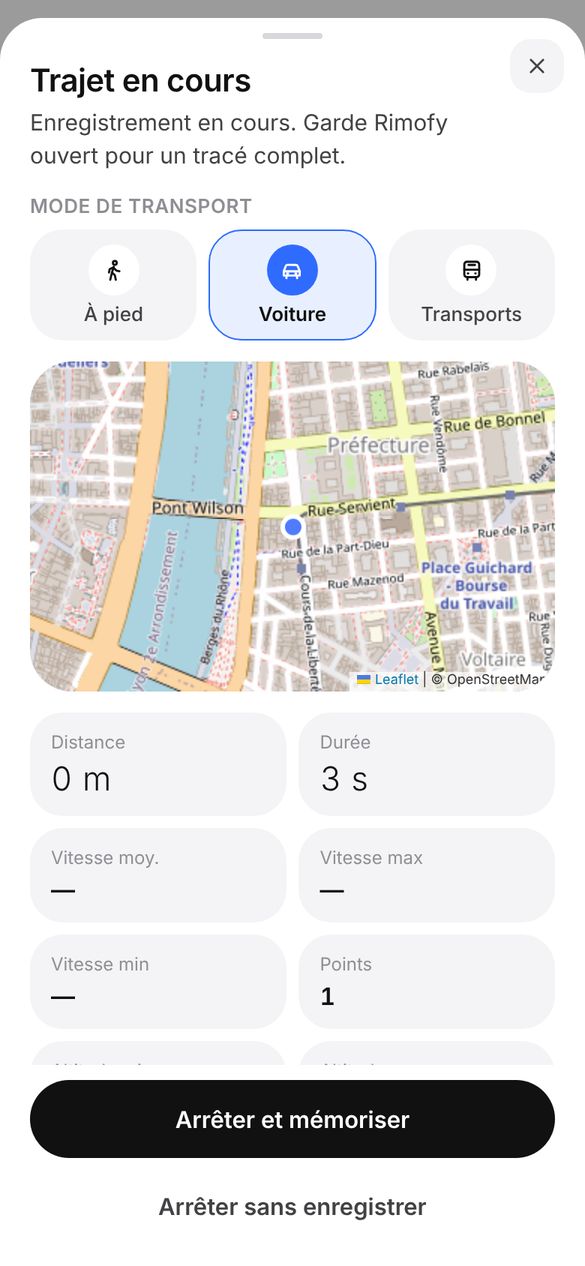
Distance, duration, speeds, altitude and route. Photos taken on the way are attached to the trip. A trip uses no analysis.

  • Automatic trips: they start when you leave home, if you turn it on.
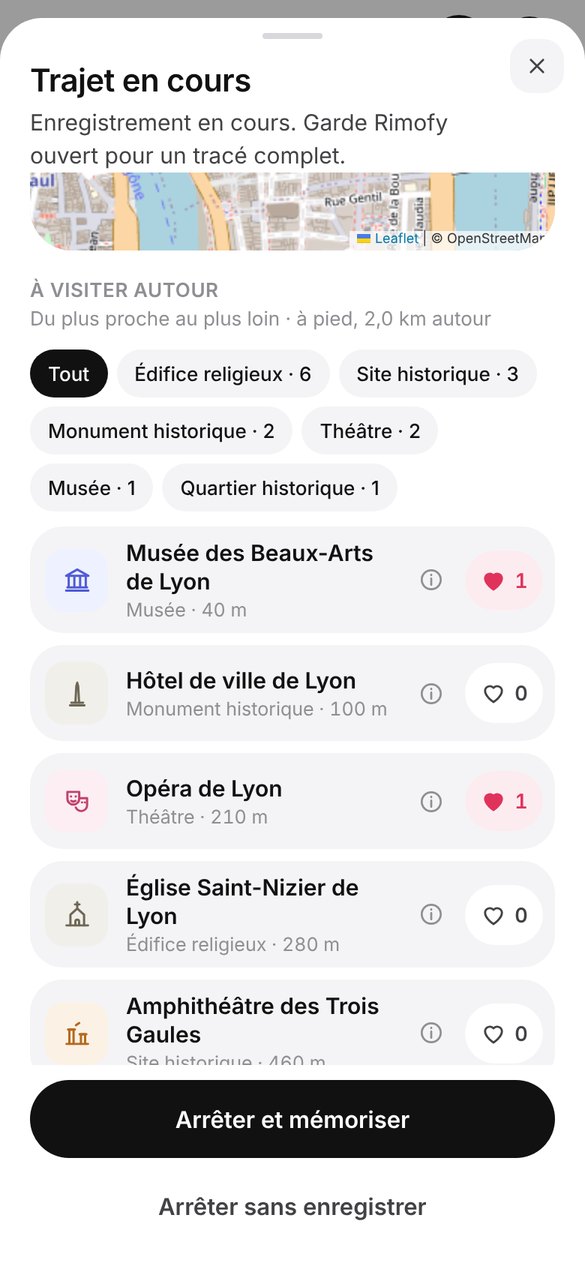
  • Worth a visit: museums, castles, monuments around you during the trip, with a heart to keep them.
  • The month in kilometres, on foot, by public transport, by car.
Trip in progress
Places worth a visit during the trip
Map

Everything with a place.
On one map.

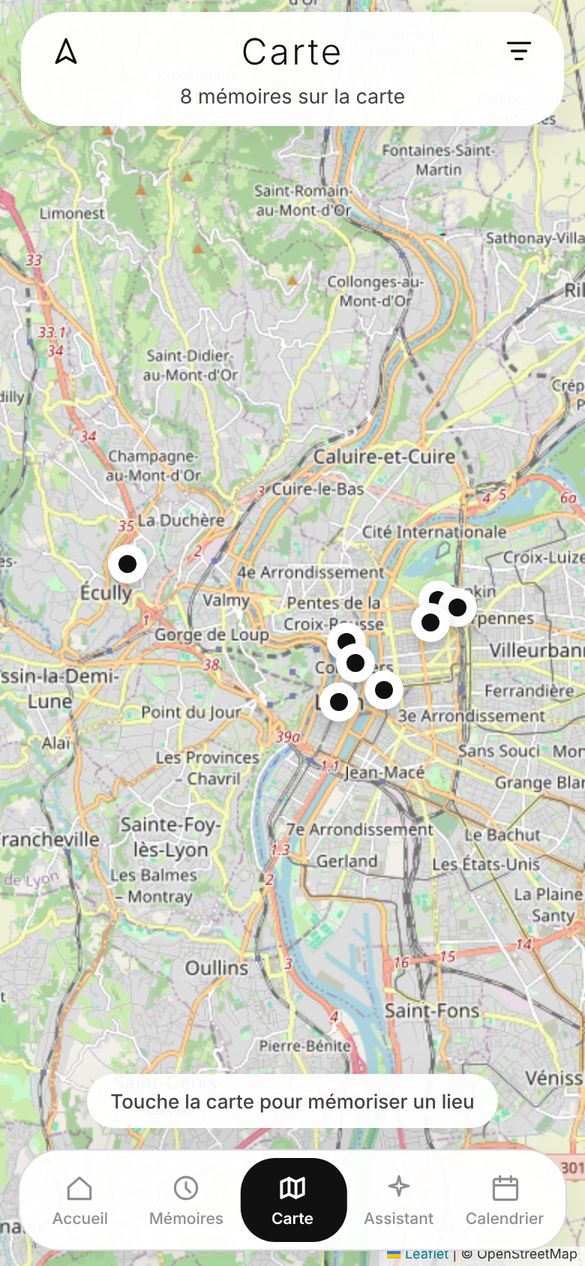
Photos, places, receipts, trips: every memory with a place gets a pin. Health never shows up there.

  • Filters by type and period. Nearby pins are grouped.
  • Go there: directions from where you are, in one tap.
Memory map
Contacts

The garage, the vet, Julien.
And their birthdays.

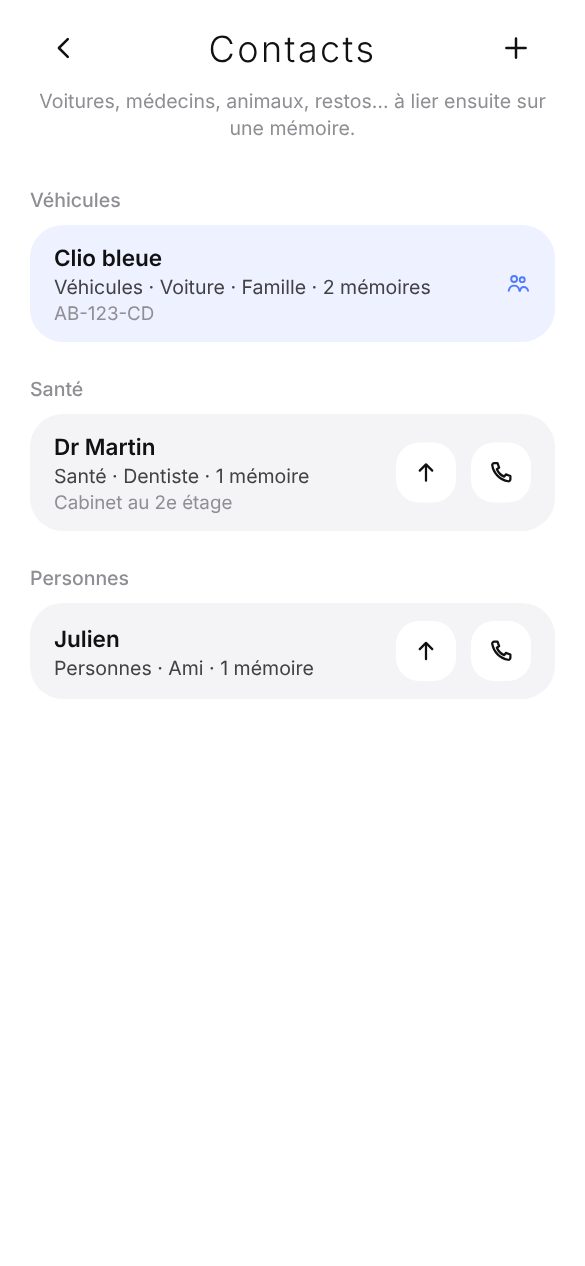
A contact book by category (vehicles, health, pets, people, useful contacts), linked to your memories.

  • Upcoming birthdays, with a reminder every year.
  • Import from the phone: your contacts come in, their birthdays too.
  • Call, text in one tap.
Contacts by category
Health

Your health notes.
Yours alone.

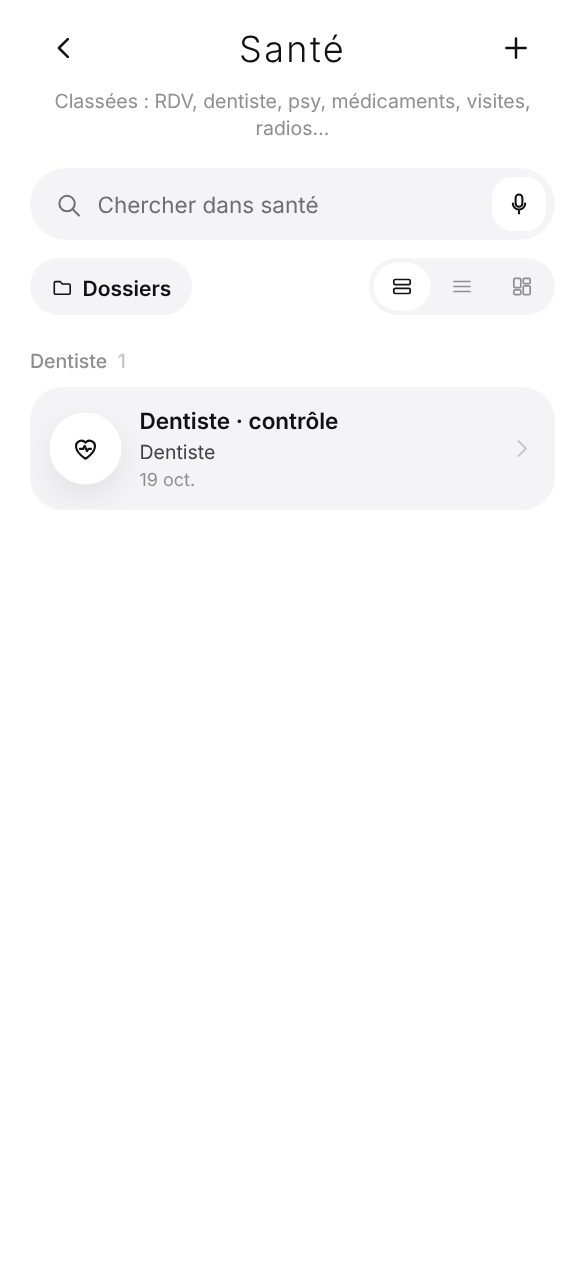
Appointments, prescriptions, treatments, results: filed in Health, with their reminders.

  • Never shared with your family, never on the map.
  • Google Calendar: only if you allow it.
Health: notes filed by theme
Rimofy Family

Stop being
the one who knows.

The TV warranty, the kids’ sizes, the gate code: shared once, found by the whole household.

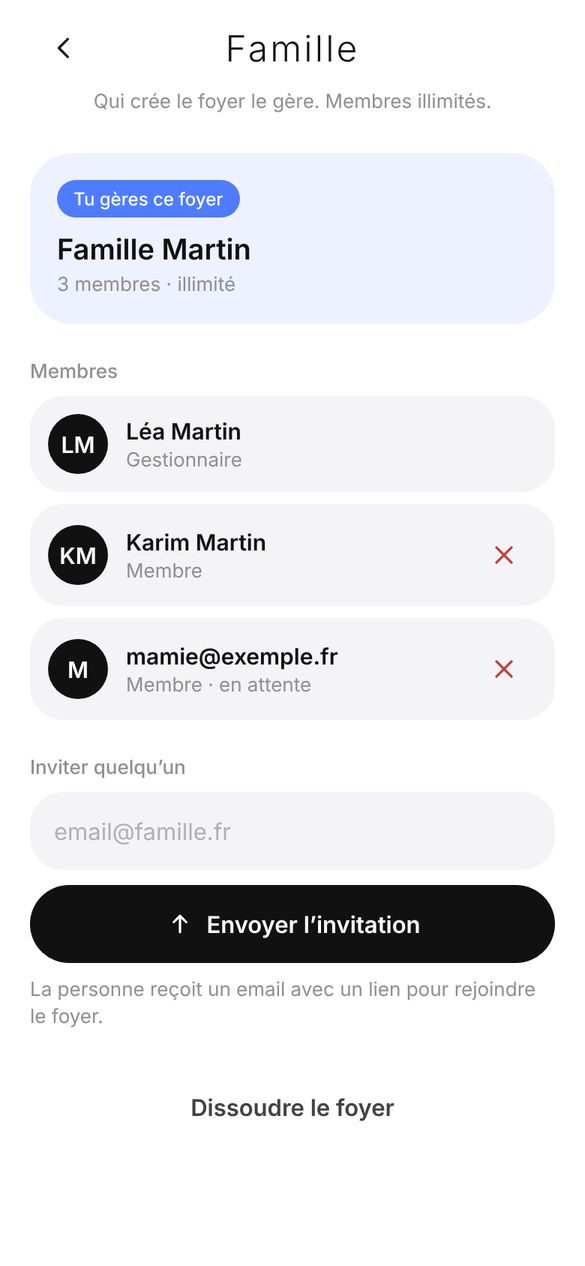
  • One household, unlimited members, with the Family plan.
  • Share one memory, or a whole folder.
  • What’s shared: an overview of shared memories and folders, and who added them.
  • Health is never shared.
Rimofy Family: the household
Import

Your memory
doesn’t start from zero.

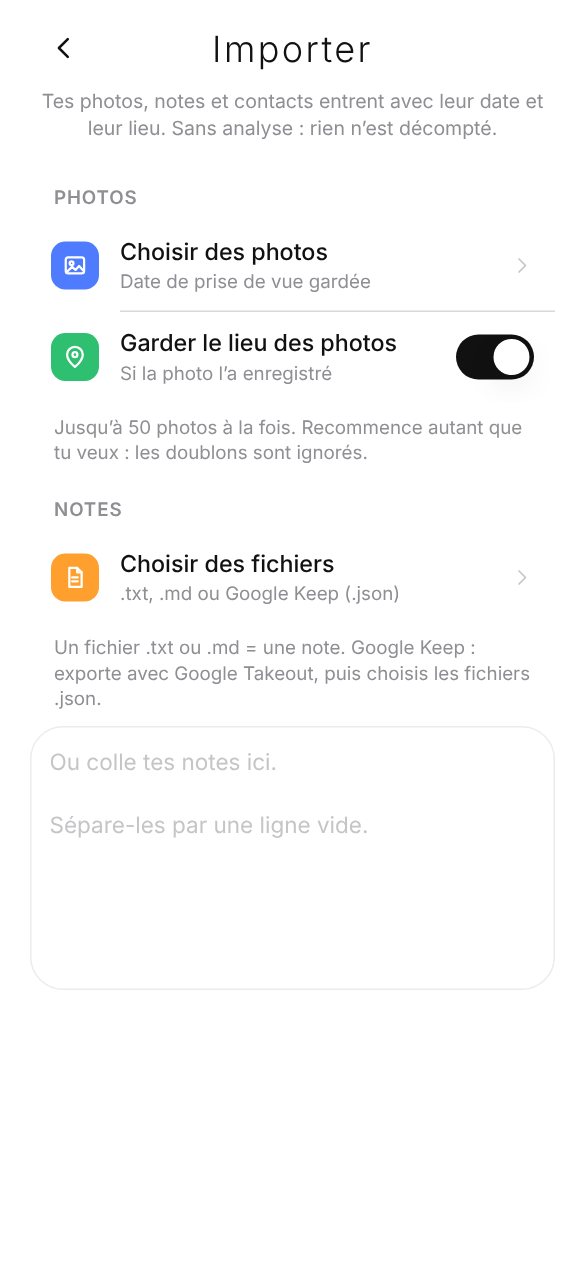
Bring in your photos, notes and contacts. Each keeps its date and place, without analysis: nothing is counted.

  • Your gallery, month by month: you tick what comes in.
  • Your notes: .txt and .md files, Google Keep (Takeout export), or copy-paste.
  • Your screenshots: Rimofy offers to keep the new ones that matter (ticket, code, booking) and reads their text. Nothing is sent without your say.
  • Analyse later what you want, one memory or a whole batch.
Import: gallery, notes and contacts
Your way

Light or dark.
Locked if you want.

Rimofy adapts to you, and your memories stay yours.

  • Dark mode: like the phone, always light or always dark.
  • Lock: fingerprint, face or phone code to reopen Rimofy.
  • Seven widgets for the home screen, and a tile in the Android quick settings.
  • Tutorial on first launch, to replay from your Profile.
  • Export and deletion: take everything with you, or erase everything, whenever you want.
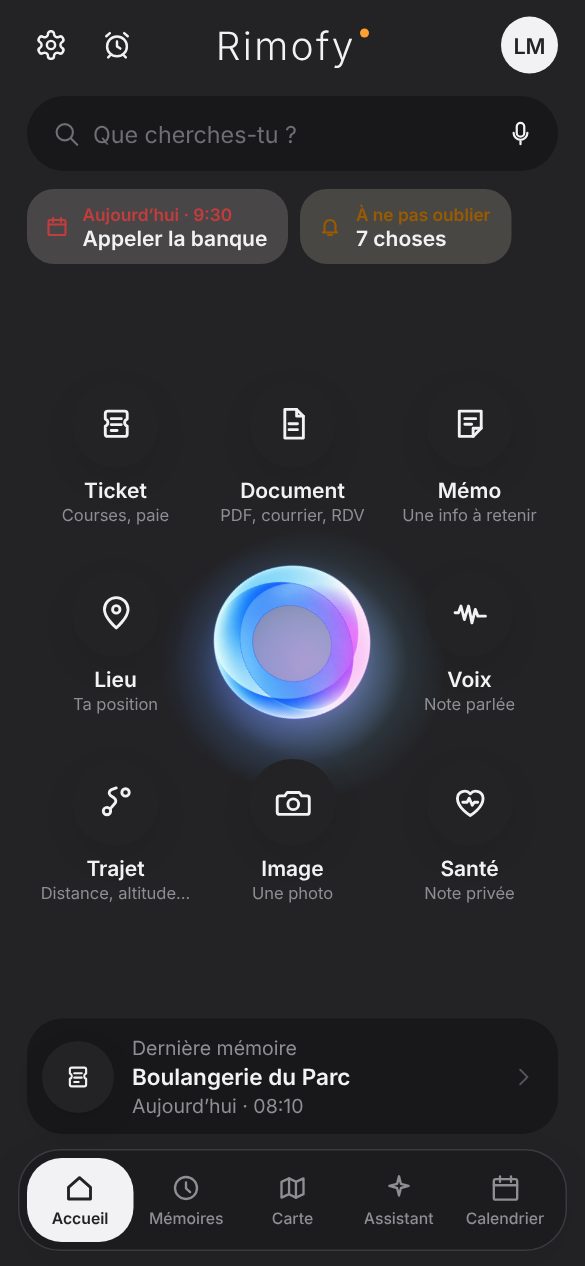
Home in dark mode
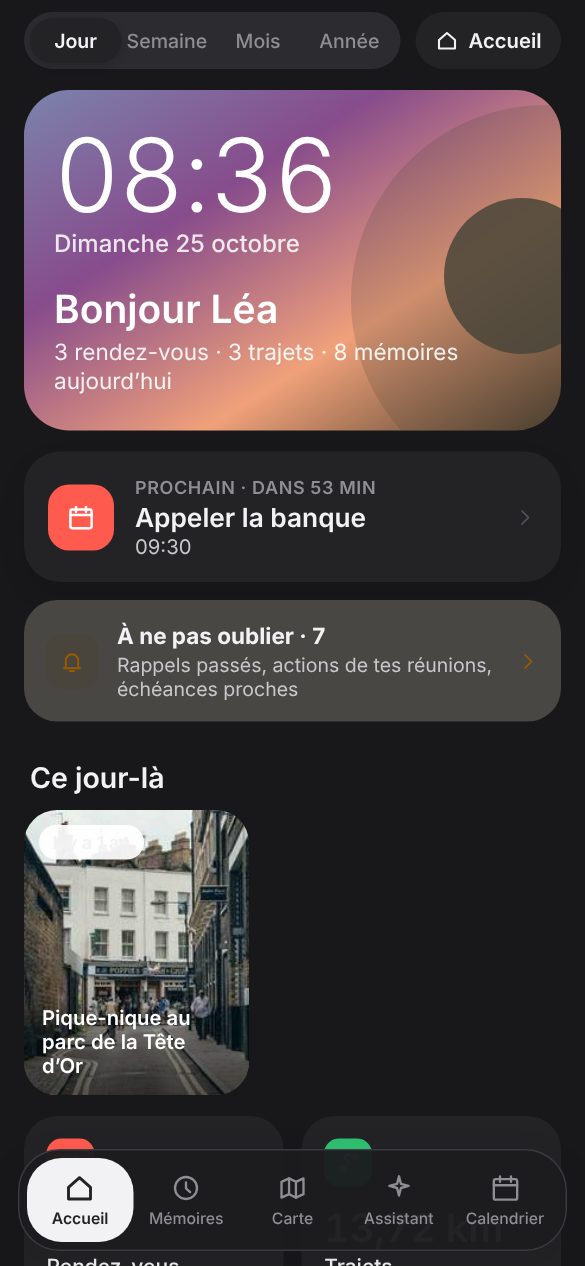
My day in dark mode

You live.
Rimofy remembers.

30 free memories, no credit card. On Android.